
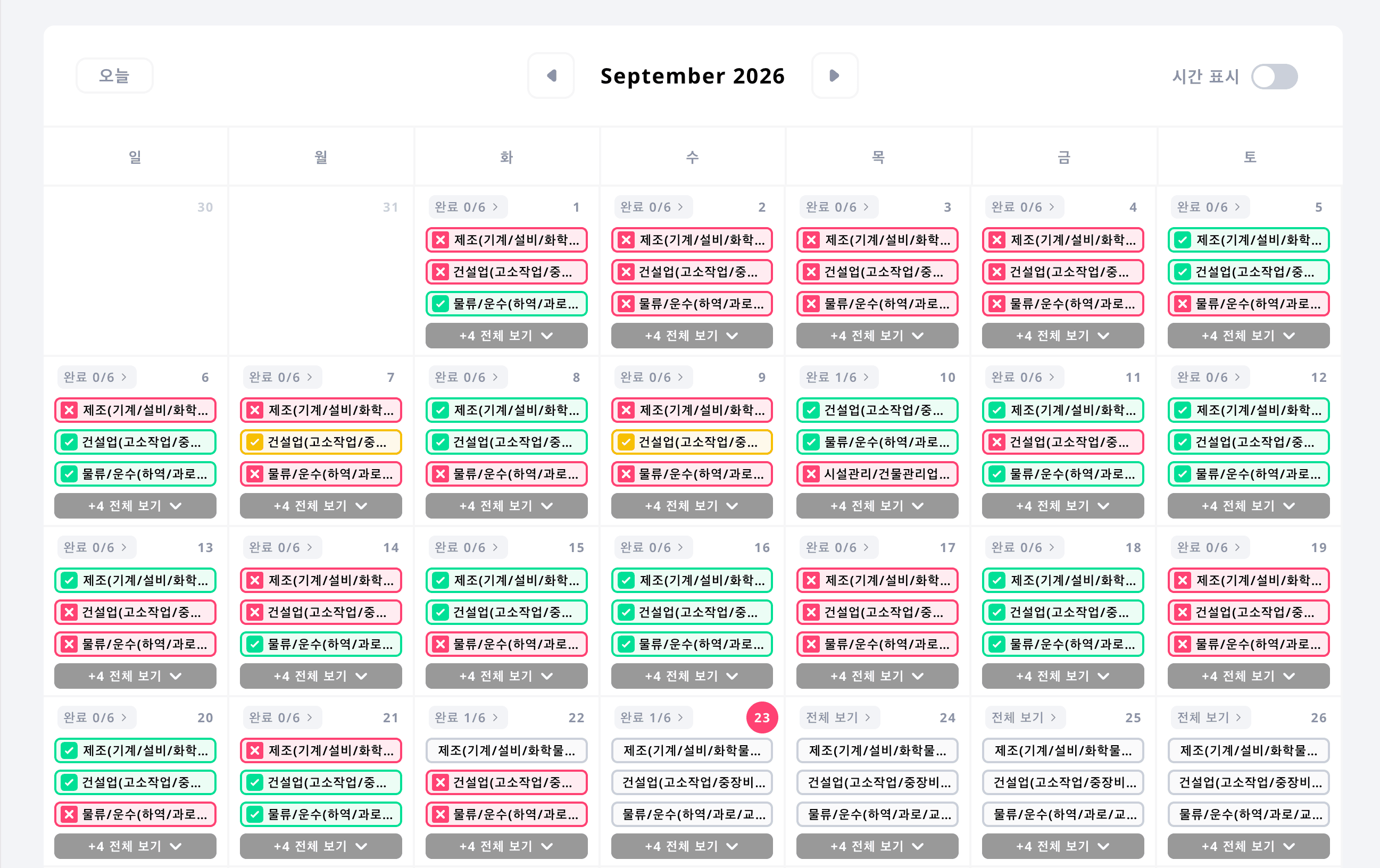
Calendar view for schedule timing
Review daily, weekly, and monthly inspections together with recurring schedules and inspector assignments.
Touch Check digital inspection service
Create standardized checklists with AI and see every schedule in calendar and matrix views. Field teams can keep inspecting offline, then sync their records when connectivity returns.
STEP 1
Enter the inspection purpose and facility context to generate a checklist draft. Reduce setup time, missed items, and variation between sites.
STEP 2
Set daily, weekly, or monthly cycles and assign inspectors by facility so every planned inspection has a clear owner.
STEP 3
Inspectors download assigned schedules in advance, then record answers, photos, and issues even without an internet connection.
STEP 4
Managers use calendar and matrix views to review every schedule, then track synced status, history, missed work, and exceptions.
STEP 5
Save completed results as inspection reports for evidence, sharing, storage, internal reporting, and audits.
Complete inspection schedule visibility
Review scheduled, in-progress, completed, and missed work by date and inspection target, even across many facilities and field teams.
Review daily, weekly, and monthly inspections together with recurring schedules and inspector assignments.
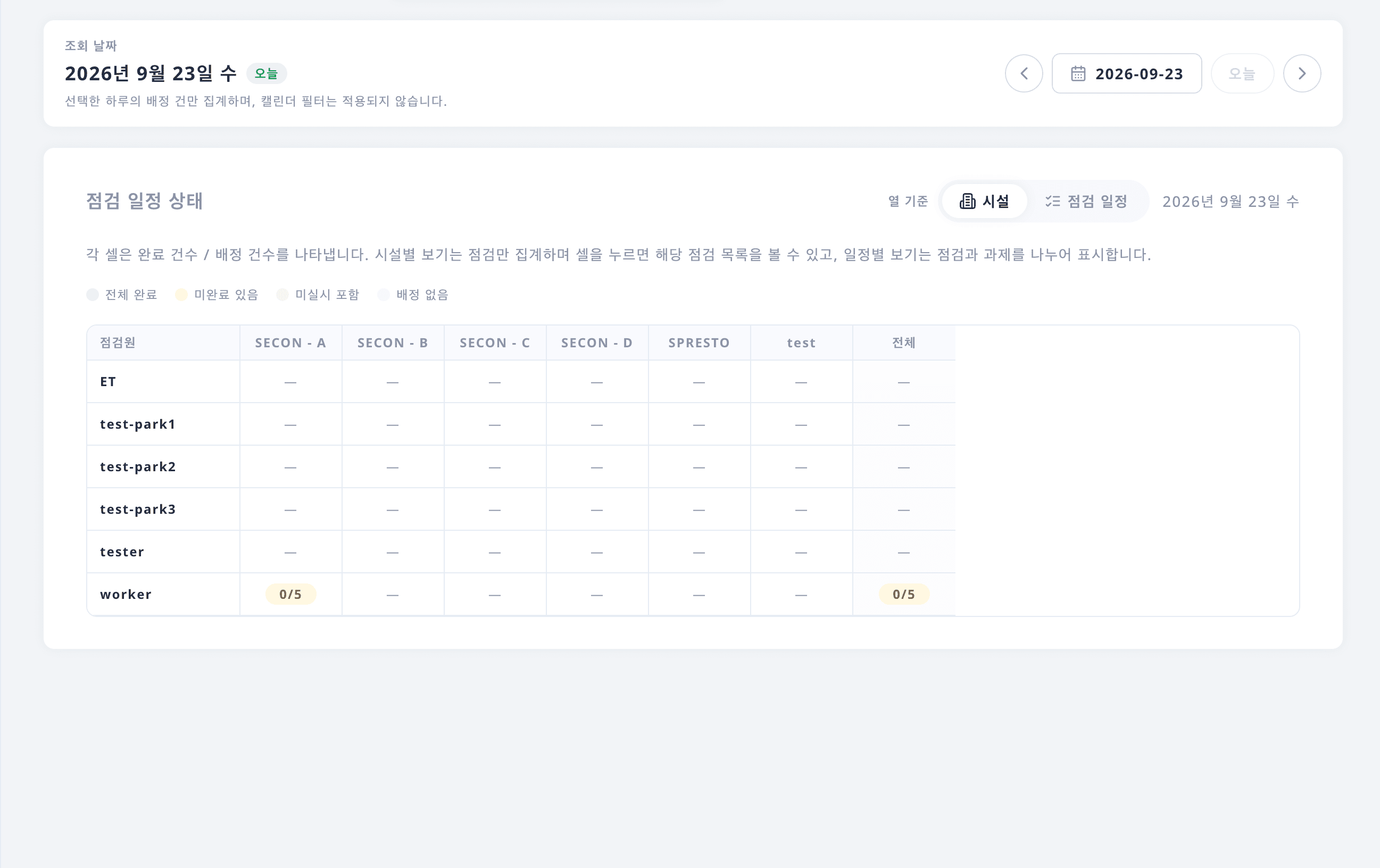
Compare status across facilities and inspectors to quickly find overdue or incomplete schedules.
Offline field inspection
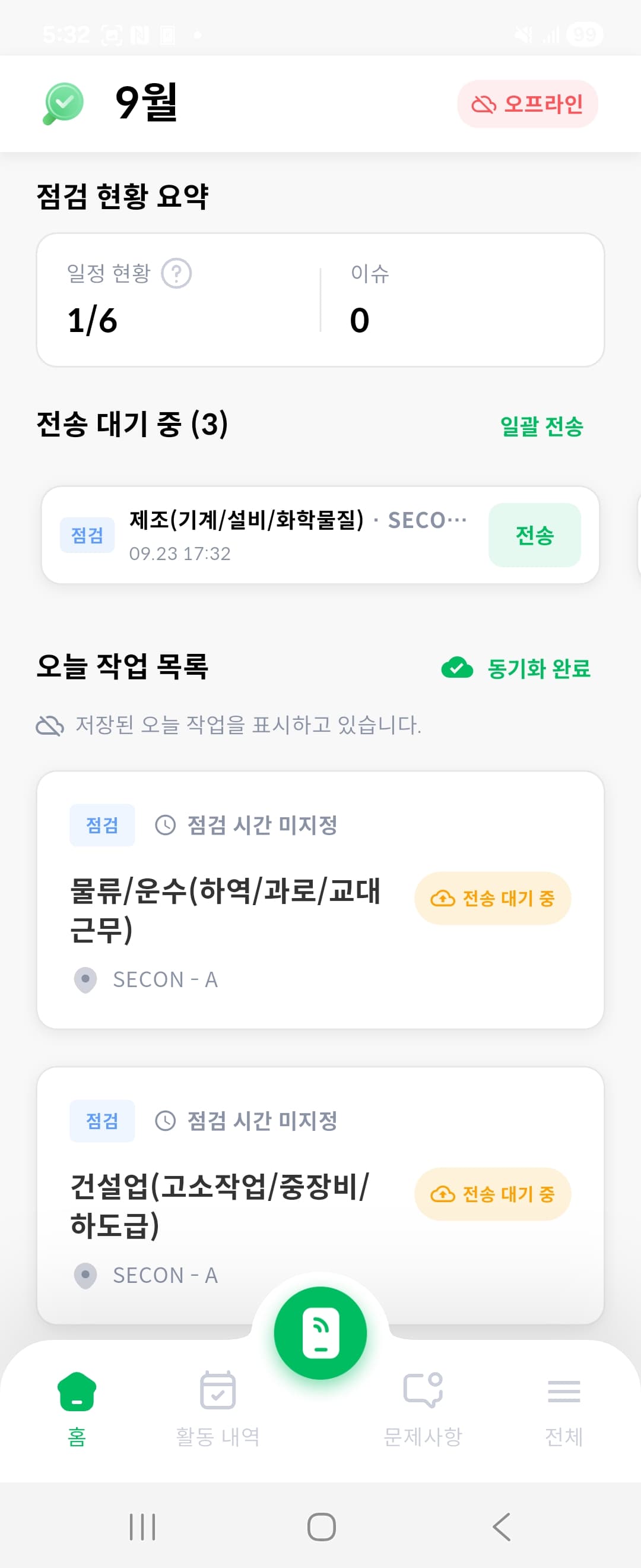
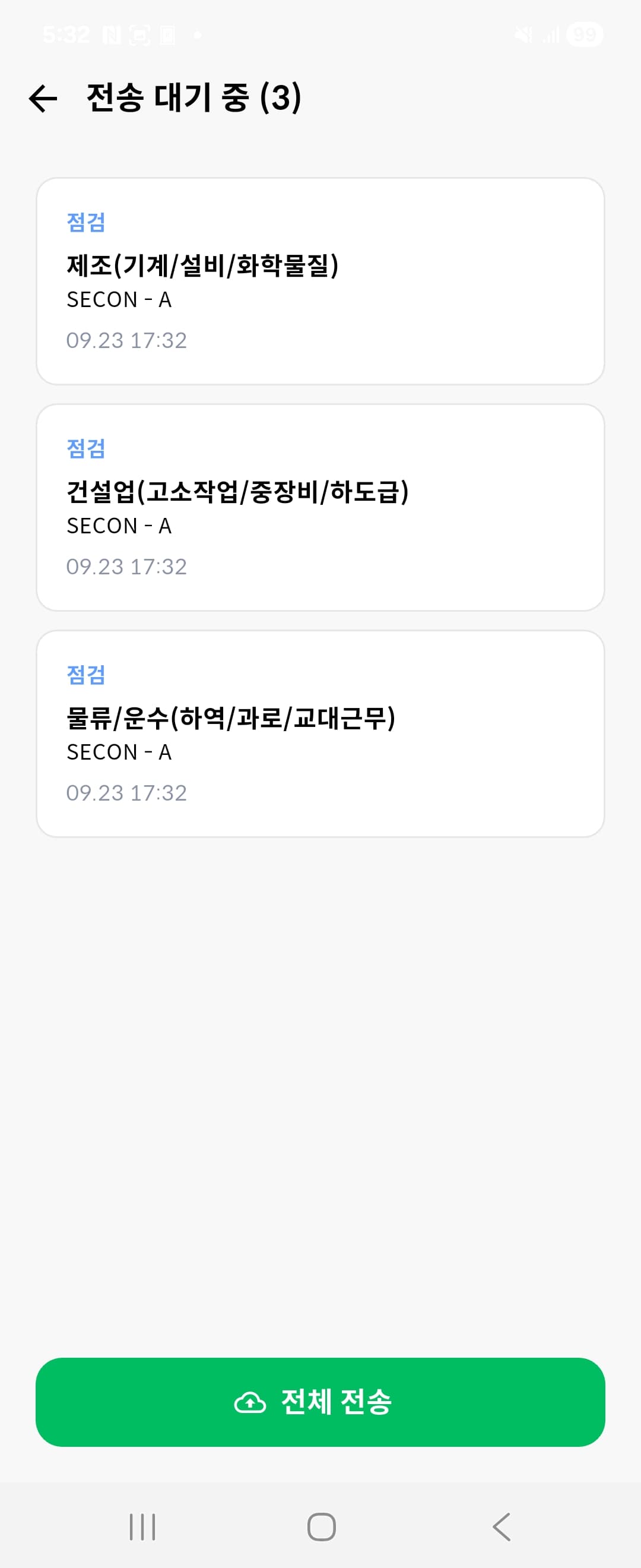
Download schedules to the worker app before entering basements, mechanical rooms, or remote sites with unreliable connectivity. Records stay on the device and sync with the server after the connection returns.
STEP 1
Save assigned schedules and checklists to the worker app before starting the job.
STEP 2
Review items and record answers, photos, and issues without an internet connection.
STEP 3
Send stored results to the server so dashboards and inspection history stay up to date.

Digitize repetitive writing, collection, and data entry to reduce administrative work for field teams and managers.
Use smart inspection stickers and field records to maintain more reliable histories for each inspection location.
Download results with answers and photos when needed, then share and retain them as operational evidence.
Tell us how you currently manage checklists and reports. We will help map AI checklist generation, mobile records, and report downloads to your operation.
Discuss digital inspection